Audio Clipper
Precision audio visualization and clipping
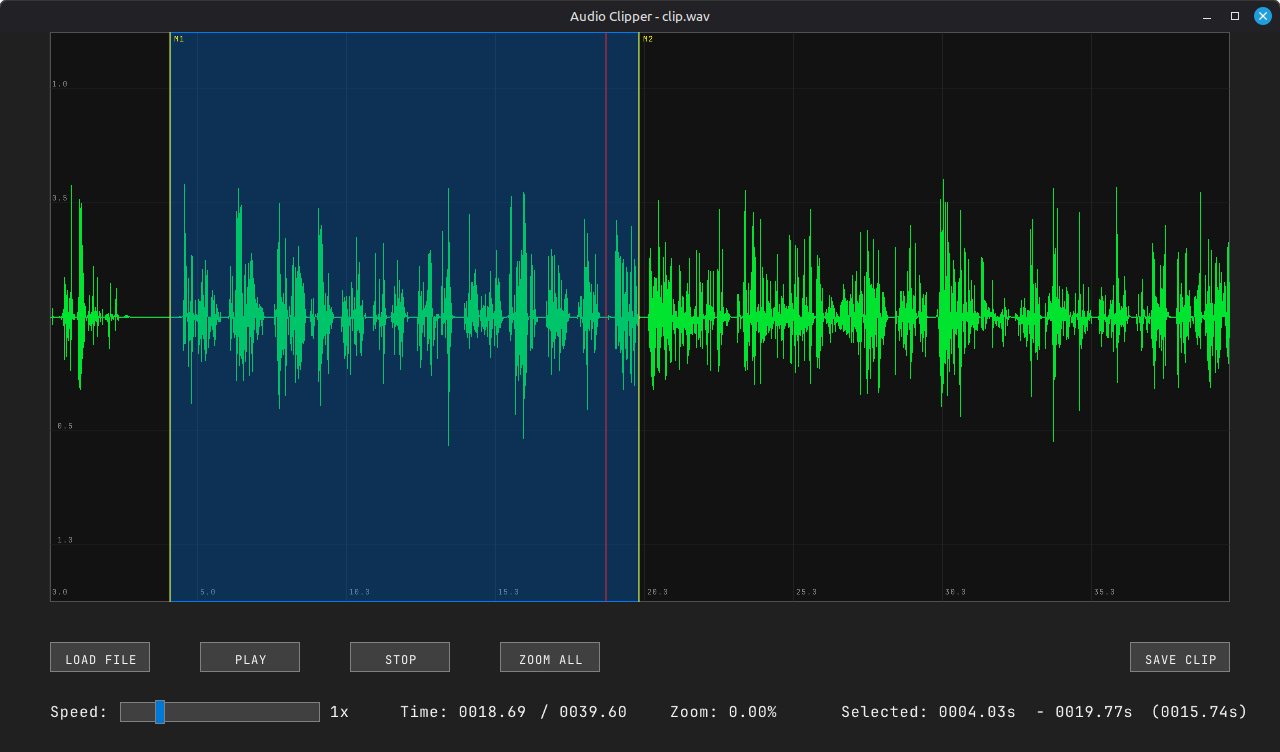
Introduction
Audio Clipper is a lightweight desktop utility designed for sound engineers, podcasters, and developers. It provides a high-fidelity visual representation of audio data, allowing you to quickly navigate, inspect, and extract precise sections of audio files without the overhead of a full DAW.
Download
You can build it for your OS directly from the code on GitHub
Or you can download a binary for Linux from the Releases section on the above GitHub repo.
Usage Guide
Buttons
- Load Open an Audio file (wav, mp3, ogg) or import audio from an mp4 video.
- Save Clip Save selected audio as an audio clip in wav format.
- Speed Change speed of playback without pitch change.
Selection
- Left Click Seek to time
- Left Drag Create selection
Navigation
- Middle Click Drag to pan
- Scroll Zoom at cursor
- Space Play / Pause
Context Menu (Right Click)
Access advanced marker operations by right-clicking anywhere on the waveform:
- Add Marker: Place a persistent yellow reference line.
- Remove Marker: Delete the marker nearest to your cursor.
- Select Between Markers: Automatically snap your selection to the nearest markers.
About & Contribution
Built with ❤️ using Raylib.
Project Manager: Gyanmarg
Lead Developer: Antigravity
This project is open-source and built with efficiency in mind. We leverage the power of Raylib for hardware-accelerated rendering and FFmpeg for high-performance audio processing.
Contributions are welcome! If you find a bug or have a feature request, please visit our official repository: